Control Your Mac
With Just Your Keyboard
Navigate and click anywhere on your screen without touching your mouse.
Keep your hands on the keyboard and stay focused on your work.
Why KeyboardStack?
Designed to enhance productivity and improve ergonomics by letting you control your Mac entirely from your keyboard.
Lightning Fast
Navigate your entire screen in milliseconds. No more switching between keyboard and mouse.
Stay Focused
Maintain your flow state by keeping your hands on the keyboard where they belong. Eliminate context switching.
Improve Ergonomics
Reduce repetitive strain and discomfort from constant mouse usage. Your wrists will thank you!
Grid Mode: Free Forever
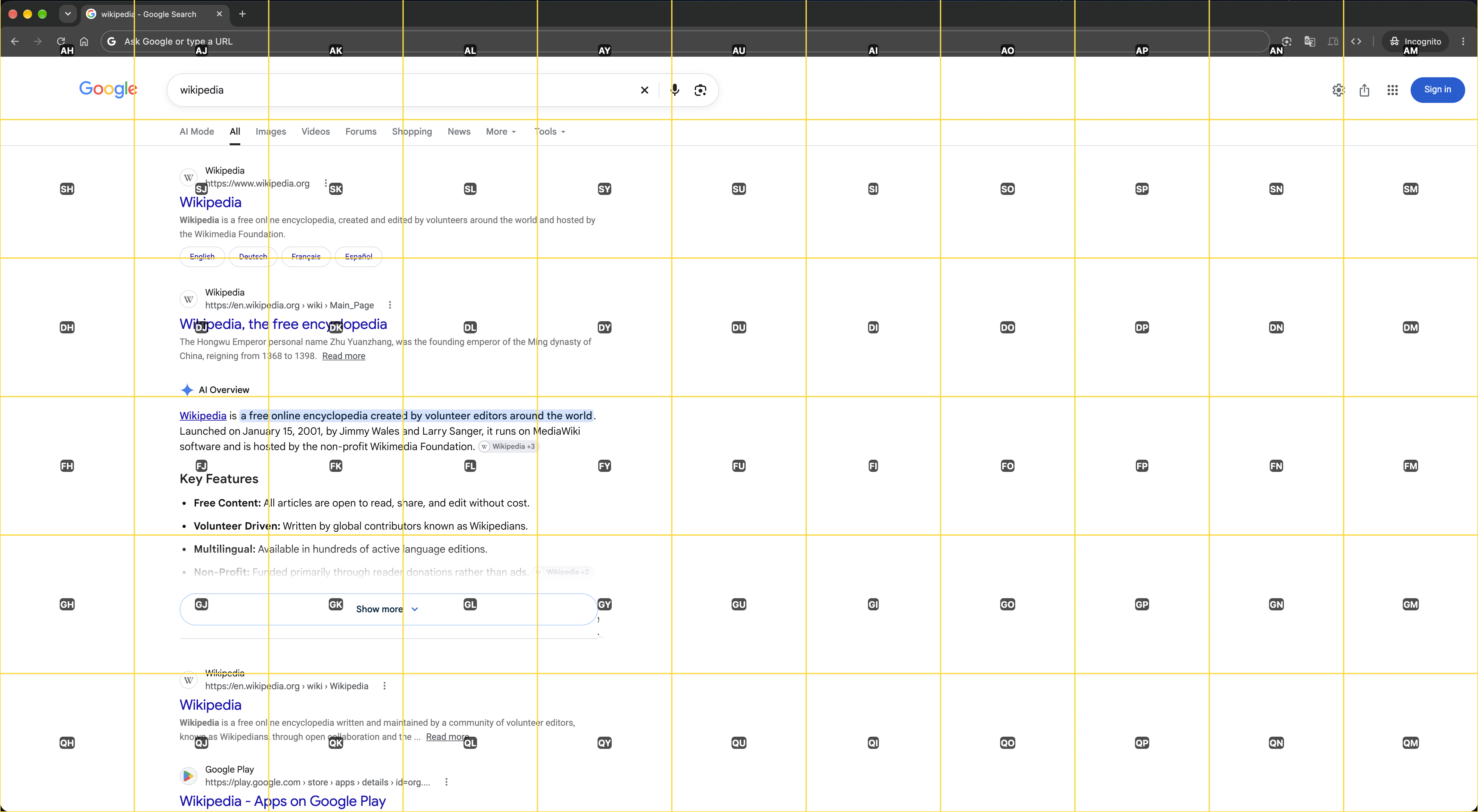
Press ⌃H to activate Grid Mode and navigate anywhere with just your keyboard. Reach any point on your screen in seconds with accuracy.
Activate Grid Mode
Press ⌃H to overlay a grid on your screen. Select a row and a column with two keys, in either order, to narrow down your target. Click or position the pointer at any grid level.
Multiple Click Types
Standard Click (Return), Right Click (Option + Return), Command Click (Command + Return), Move Cursor (Control + Return).
Intuitive Controls
Backspace to go back a level, Space to reset, and Escape to exit at any time.
Multi-Screen Support
Work seamlessly across all your displays. Press Tab to cycle between screens.
Premium Features
Upgrade to access even more powerful ways to control your Mac.
Mission Mode
⌃IMake Mission Control keyboard-friendly. Type a window’s hint to switch to it.
Quick Hint Mode
⌃KPerfect for rapid navigation and browsing when standard clicks are all you need.
Scroll Mode
⌃JSmoothly scroll using your keyboard, perfect for reading and browsing websites.
Cursor Mode
⌃UControl your cursor precisely with H, J, K, L keys, allowing pixel-perfect movement.
Simple Pricing
Choose the plan that works best for your workflow.
Essential tools to get started with keyboard-driven navigation.
Complete keyboard control with advanced features for 3 Macs (non-transferable).
Ready to Navigate Your Mac More Efficiently?
Download KeyboardStack now and transform your Mac experience today.
Boost your productivity without touching your mouse.
Compatible with macOS 27 or later - Apple Notarized/Verified App